How to Manage Overheating in Sony Mirrorless Cameras: Guide and Practical Test
Overheating is a common challenge on long recordings, but with thermal settings and strategies like external fans or better ventilation, Sony Alpha cameras can significantly extend their recording times, proving their capability even in demanding conditions.

Camera overheating is a common challenge when recording long projects like podcasts, live events or documentaries in extreme conditions. In this article we go through a detailed experiment with Sony Alpha cameras and offer practical tips to maximize their thermal performance.
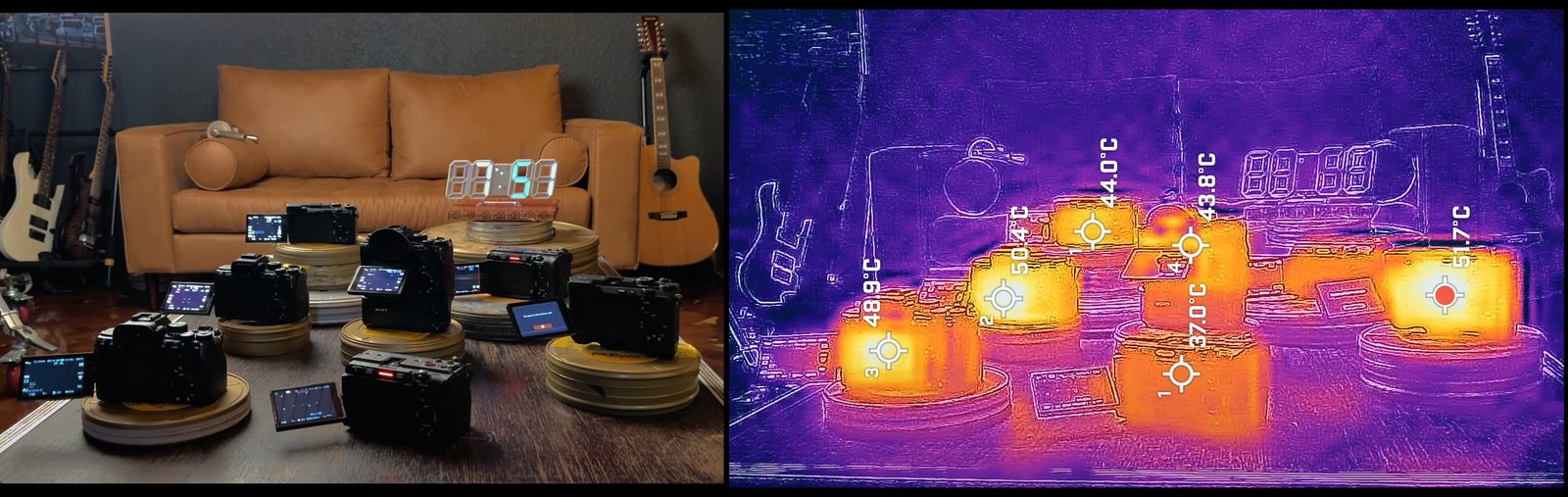
1. Why cameras overheat
Overheating is a natural consequence of energy transfer. During long recordings — especially at high resolution and demanding bitrates — the internal processor generates heat, which can reach critical levels.
-
Use conditions: long clips, hot environments and compact bodies make heat dissipation harder.
-
Thermal design: larger cameras, like the Cinema Line (FX3, FX30), include active fans and heatsinks, while compact mirrorless rely on passive heatsinks, which limits their thermal capacity.
2. The experiment: evaluating overheating
In the experiment, several Sony Alpha cameras were tested, recording in 4K at 23.98 fps and 10-bit (except the A7C, which recorded in 8-bit). All cameras ran under normal settings without enabling the thermal-limit option.
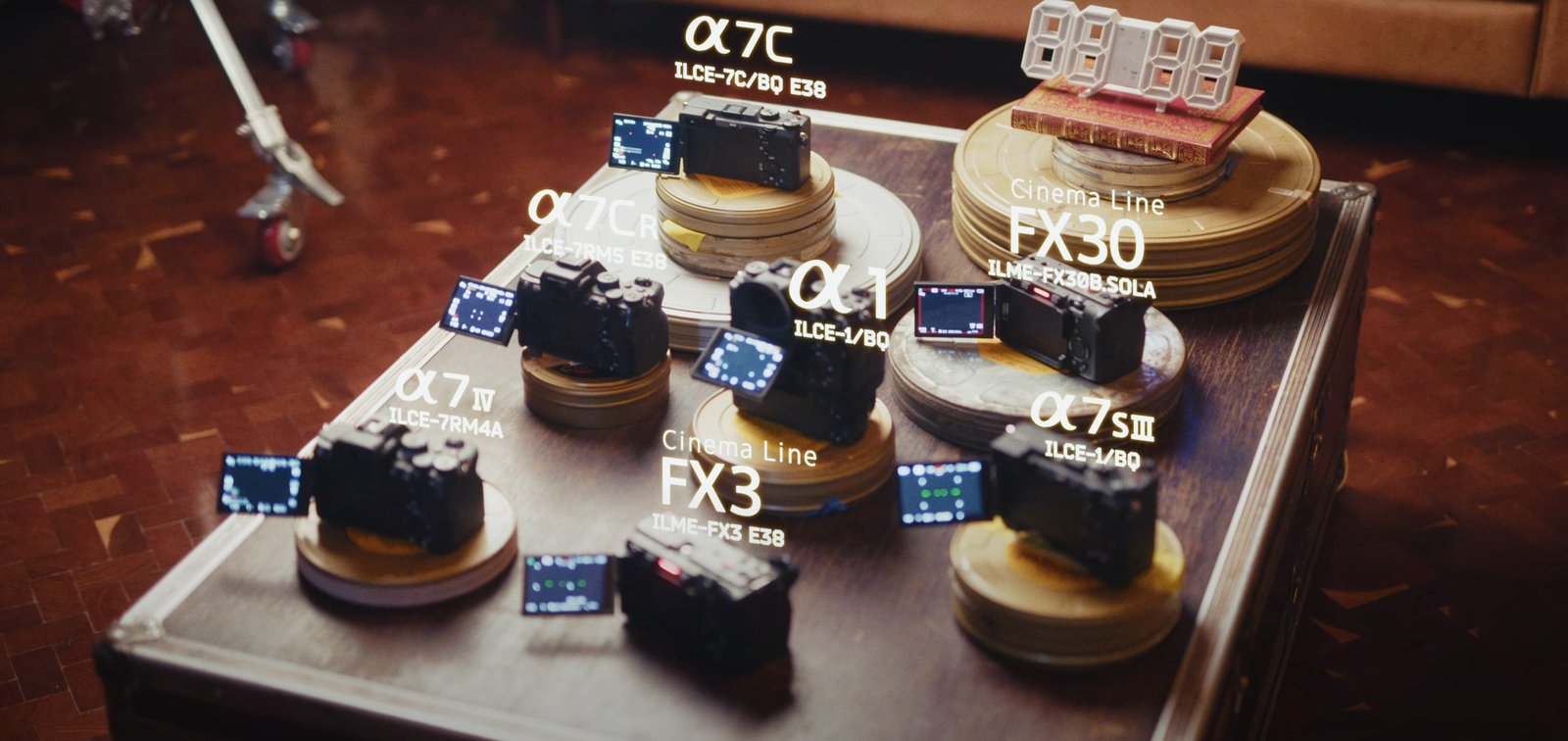
Initial results (no thermal setting):
-
Sony A7C R: 21 minutes, 40 °C
-
Sony A1: 29 minutes, 51 °C
-
Sony A7 IV: 38 minutes, 46.4 °C
-
Sony A7S III: 44 minutes, 46.3 °C
-
Sony FX3 and FX30: didn’t shut down, thanks to their active cooling system.
Results with the thermal setting enabled:
-
Sony A7C R: 51 minutes, 52.6 °C
-
Sony A7C: 78 minutes, 44.5 °C
-
The Cinema Line cameras kept running until the batteries or cards ran out.
This setting lets the cameras tolerate higher temperatures before shutting down, significantly extending recording time.
3. How to enable the thermal setting on your camera
Sony includes a hidden setting in its cameras that extends the thermal limit for long recordings:
-
Open the settings menu.
-
Find the option related to thermal management or temperature limit.
-
Change the default setting (normal) to high to allow higher internal temperatures.
This change won’t damage your camera, but it’s important to take extra steps to avoid extreme overheating.
4. Strategies to mitigate overheating
Airflow and thermal management:
-
Flip out the camera’s rear monitor to improve ventilation.
-
Keep the camera in the shade outdoors and avoid direct sun.
-
Swap in a fresh battery periodically, since it’s a critical heat-buildup point.
Useful accessories:
-
External fans: brands like Tilta or Ulanzi make accessories to improve heat dissipation on compact cameras.
-
Cages with active ventilation: useful for long recordings in extreme conditions.
Pre-testing in real environments:
- If you plan to shoot in extreme climates, run simulations at home. For example, put the camera in a hot environment or a freezer to understand how it responds in those conditions.
5. Conclusion: preparation and technical creativity
Overheating in Sony mirrorless cameras doesn’t have to limit your projects. With the right setting, accessories and preparation, you can maximize performance even in the most challenging conditions.
Have you faced overheating issues with your camera? Share your experience in the comments, and don’t forget to try these tips on your next shoot.
A discount for you at Sony Store (all of LATAM): use code SONYCACHE. Want an extra 10%? SONYCACHE10 activates only a few days each month and only on the priciest gear — worth hunting. And if you are making a personal or company purchase, write me and I will help you get a better deal.
Comments
Sign in to comment